Set Rokt Price for your products
Rokt Price lets you set a Catalog-specific price for your products without changing the price in your source catalog. This price appears in Explore and syncs to connected Partner stores.
Set Rokt PriceDirect link to Set Rokt Price
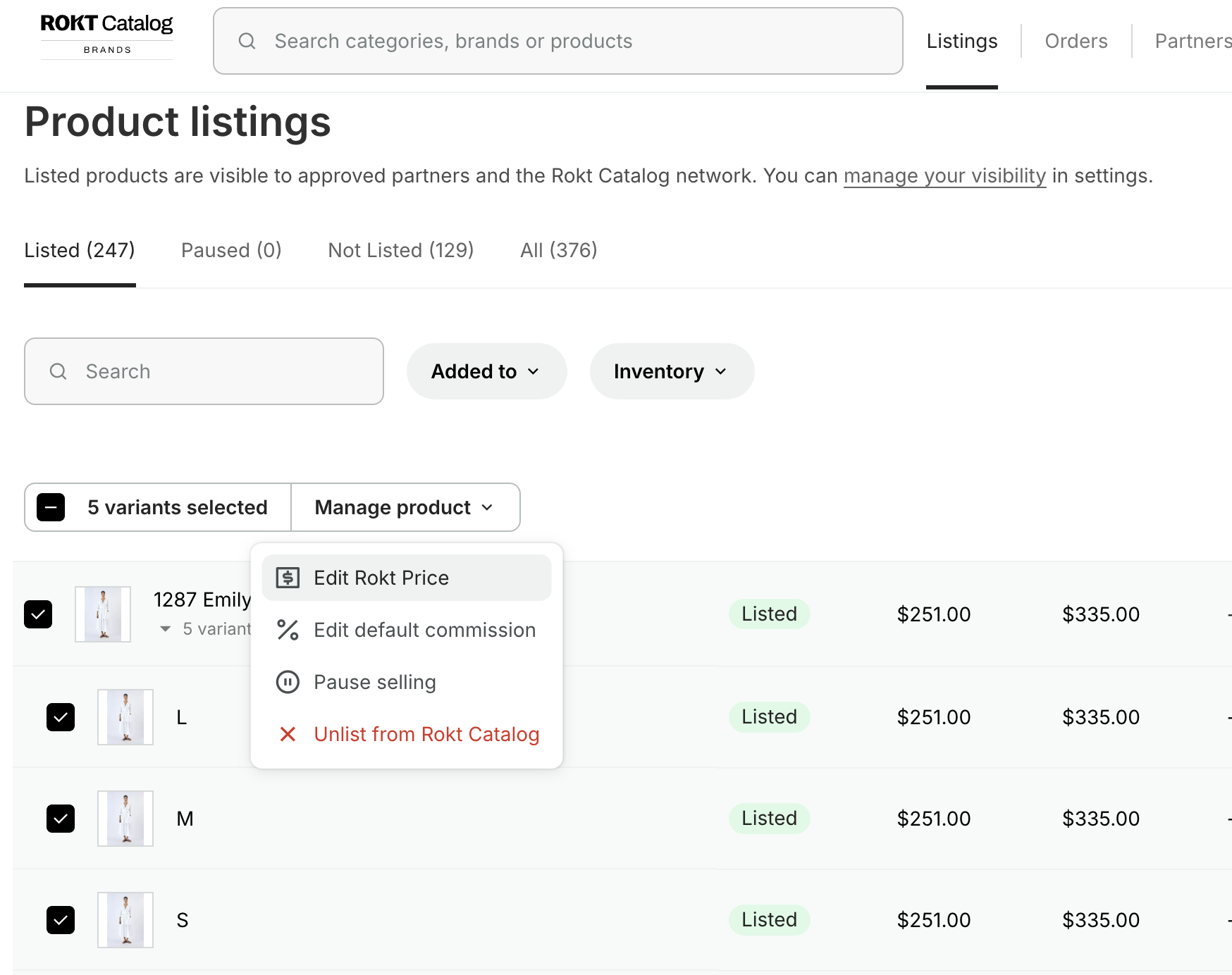
- Navigate to Catalog.
- Select the products or variants you want to update.
- Select Bulk actions, then Edit Rokt price.
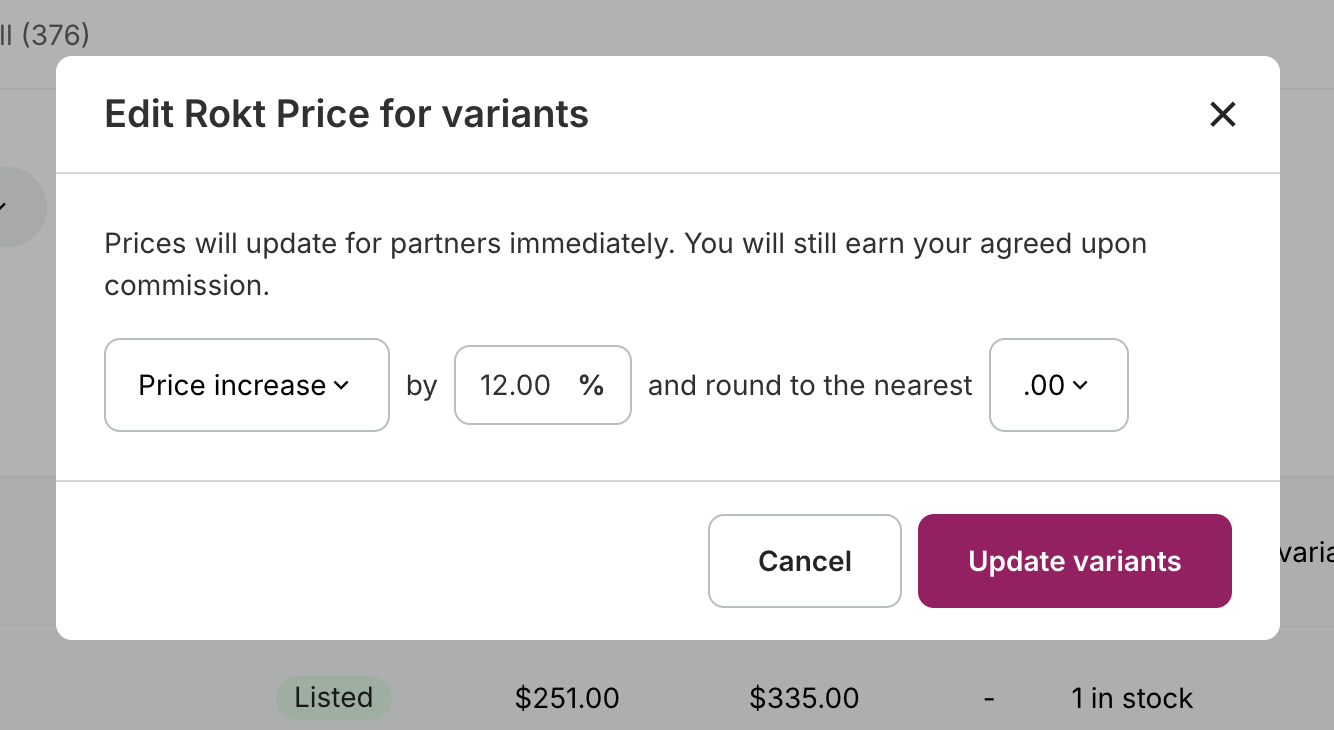
In the Rokt Price window, choose a percentage increase or decrease from the manufacturer's suggested retail price (MSRP). Then choose the decimal ending you want the adjusted price to round to.
After you update variants, Rokt Catalog marks price increases in green and price decreases in red.
What Partners seeDirect link to What Partners see
Your Partner receives the updated Rokt Price in their product data. Rokt Catalog does not send Partners a separate notification when you make this change.