Editing published products
Once your products are live with a retail partner, you can update those products yourself in the Rokt Catalog App. Editing is available to every brand and retailer. In this guide, you'll learn what you can change on a published product, what you can't, and how an update makes its way back to the retailer.
What you can change hereDirect link to What you can change here
Open a published product and you'll find two tabs:
- Attributes: product information such as the title, copy description, features, brand label, and country of manufacture, plus everything that varies by variant: color, size, UPC, etc.
- Images: upload new images, reformat existing ones, assign them to the right variants, and set the order they appear in.
What you can't change hereDirect link to What you can't change here
A few things are handled elsewhere, or by the Rokt Catalog team:
- Product category: locked once a product is published. Email roktcatalogsupport@rokt.com if a product is in the wrong category.
- Merging or separating products: combining or separating listings into different product combinations is not available on published products.
- Adding or removing products: see Adding or removing products from Catalog.
- Price and discounts: see Set Rokt Price for your products and Discounting products with Catalog.
- Inventory: see Using the Inventory page.
Getting startedDirect link to Getting started
Editing has four steps. Depending on what you're changing, you may not need all of them.
- Find the product. Open the Rokt Catalog App, select your retail partner from the Partners tab on the left, then scroll down to the products section and open the Approved tab. Use the search box or the Availability and Status filters to find the product you want.
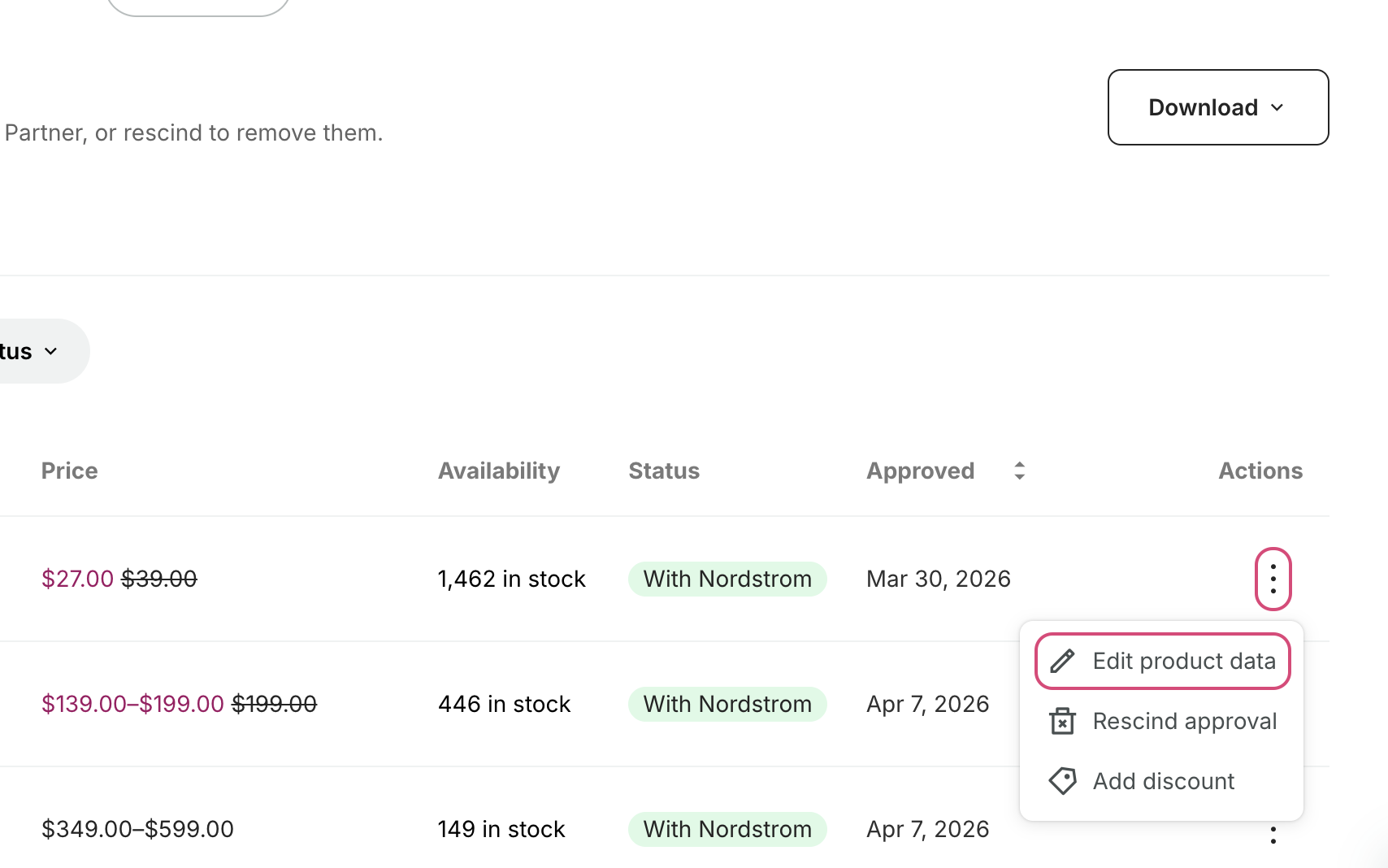
- Open it for editing. Scroll the table across to the Actions column, click the three dots on the product's row, then click Edit product data. The product opens on the Attributes tab, with the date it was last published to the retailer in the top-right corner.
- Make your changes. Update the product information or any variant-level field on the Attributes tab (see Editing product attributes), or upload, reformat, assign and reorder images on the Images tab (see Editing product images).
- Save and republish. Save your changes, then republish to send them to the retailer.
Saving on its own doesn't reach the retailer. Nothing is sent until you republish.
If you have questions at any point, reach out to roktcatalogsupport@rokt.com — we're here to help.
After you republishDirect link to After you republish
Your changes usually appear on the retailer's site within 48 hours. Your product stays live while the update is being reviewed.
If you don't see your changes after a few days, email roktcatalogsupport@rokt.com. The update may have hit an error on its way to the retailer, and we can check.
Related articlesDirect link to Related articles
You might also find these helpful: