Sync audiences from Tealium CDP

Tealium's Rokt Connector sends audiences from Tealium Customer Data Hub to Rokt for targeting and suppression.
Looking for conversion tracking?
AuthenticationDirect link to Authentication
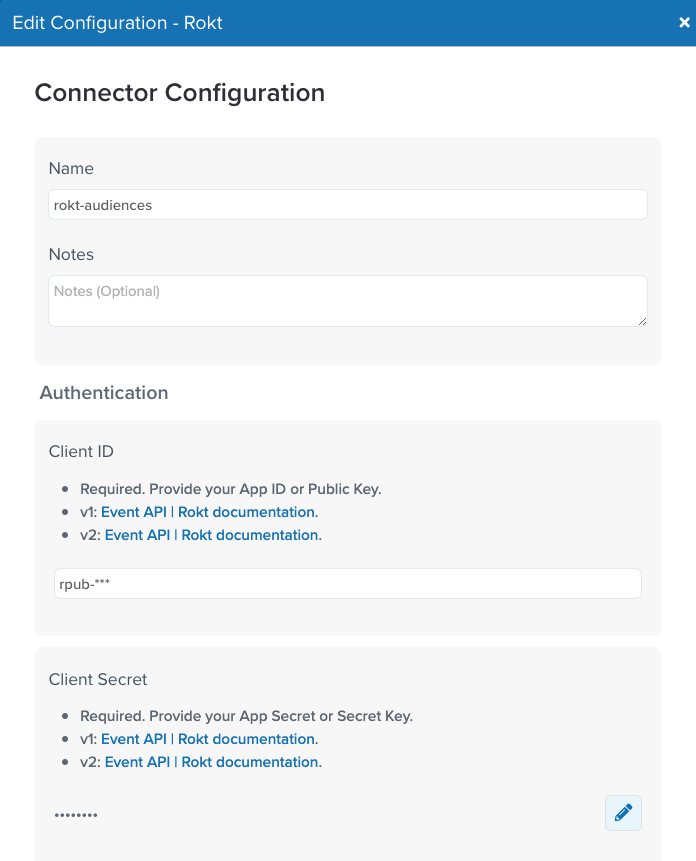
Authenticating with the Rokt Connector for audiences requires a Rokt Public Key, Rokt Secret, and Account ID. Ask your Rokt account manager for these credentials.
Give the connector a unique name, and enter the Rokt Account ID, Public Key, and Secret.
Configure the audienceDirect link to Configure the audience
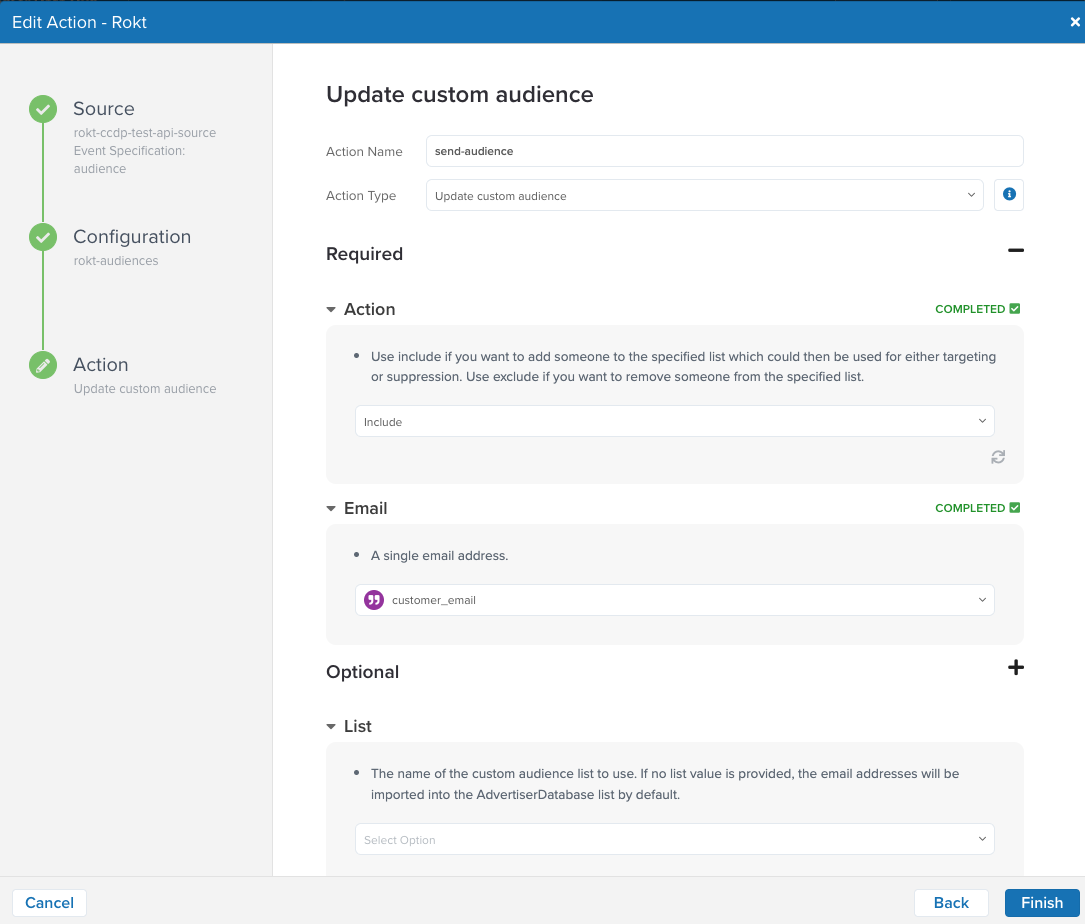
- Select Update Custom Audience as the action for your Rokt Connector.
- Select the action to perform against the audience: Include adds members, and Exclude removes members.
- Map the email field.
- Optionally, configure the custom audience list name and whether Tealium hashes email addresses.
For more information about custom audiences, see Import custom audiences.