Track conversions with Adobe Experience Platform

Adobe Experience Platform (AEP) is the connected data foundation for Adobe Real-Time CDP, Adobe Customer Journey Analytics, and Adobe Journey Optimizer. Its Rokt event integration sends conversion data to Rokt so you can connect marketing activity to outcomes such as purchases, subscriptions, and application downloads.
AuthenticationDirect link to Authentication
Authenticating with the Rokt Event API Forwarding Extension requires a Rokt Public Key, Rokt Secret, and Account ID. Reach out to your account manager to get these credentials.
Configure the extensionDirect link to Configure the extension
Extensions provide data element types and rules for you to work with. To install the Rokt Event API server-side extension, first create an event-forwarding property. For more information, see Adobe's Create an event-forwarding property documentation.
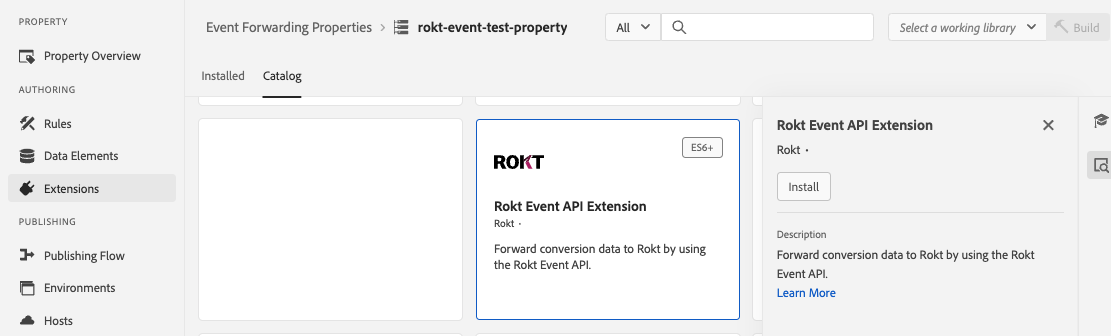
Go to the Event Forwarding tab within Data Collection at experience.adobe.com. Search for the Rokt Event API Extension in the extension catalog and click Install.
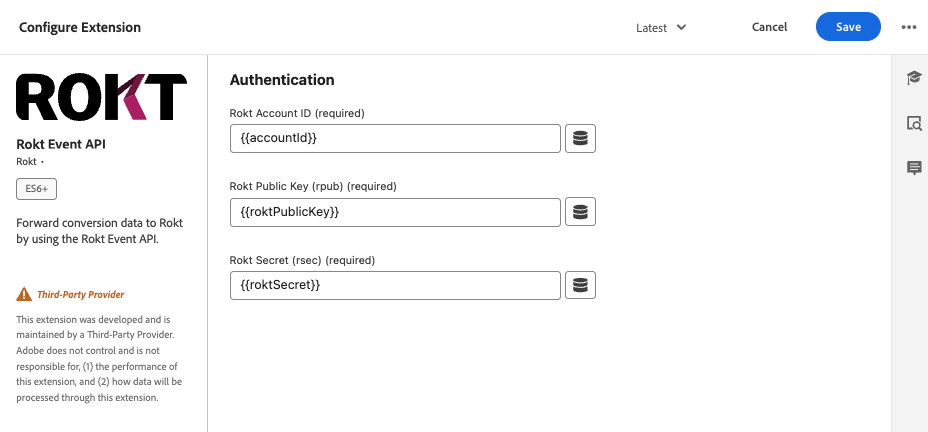
When prompted, enter your Rokt Account ID, Rokt Public Key, and Rokt Secret. Rokt recommends storing these credentials as secrets and referencing them as data elements.
Configure your data elementsDirect link to Configure your data elements
Data elements provide shortcuts to data that exists elsewhere. If the underlying data location changes, you can update the data element instead of each rule or extension that uses it. For more information, see Adobe's Data Elements documentation.
Data elements can be any of the following:
- Custom code.
- A path to an attribute in the Adobe Request Context.
- A secret.
- An IP address.
Configure your ruleDirect link to Configure your rule
Rules are collections of events, conditions, and actions that control the behavior of the deployed server-side event-forwarding property. For more information, see Adobe's Rules documentation.
-
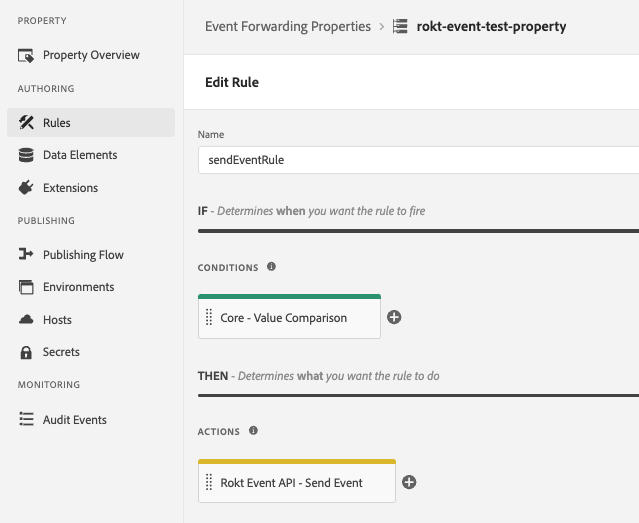
Create a rule, give it a unique name, and add a condition that triggers your action.
-
Configure your action by selecting the Rokt Event API Extension and then Send Event.
-
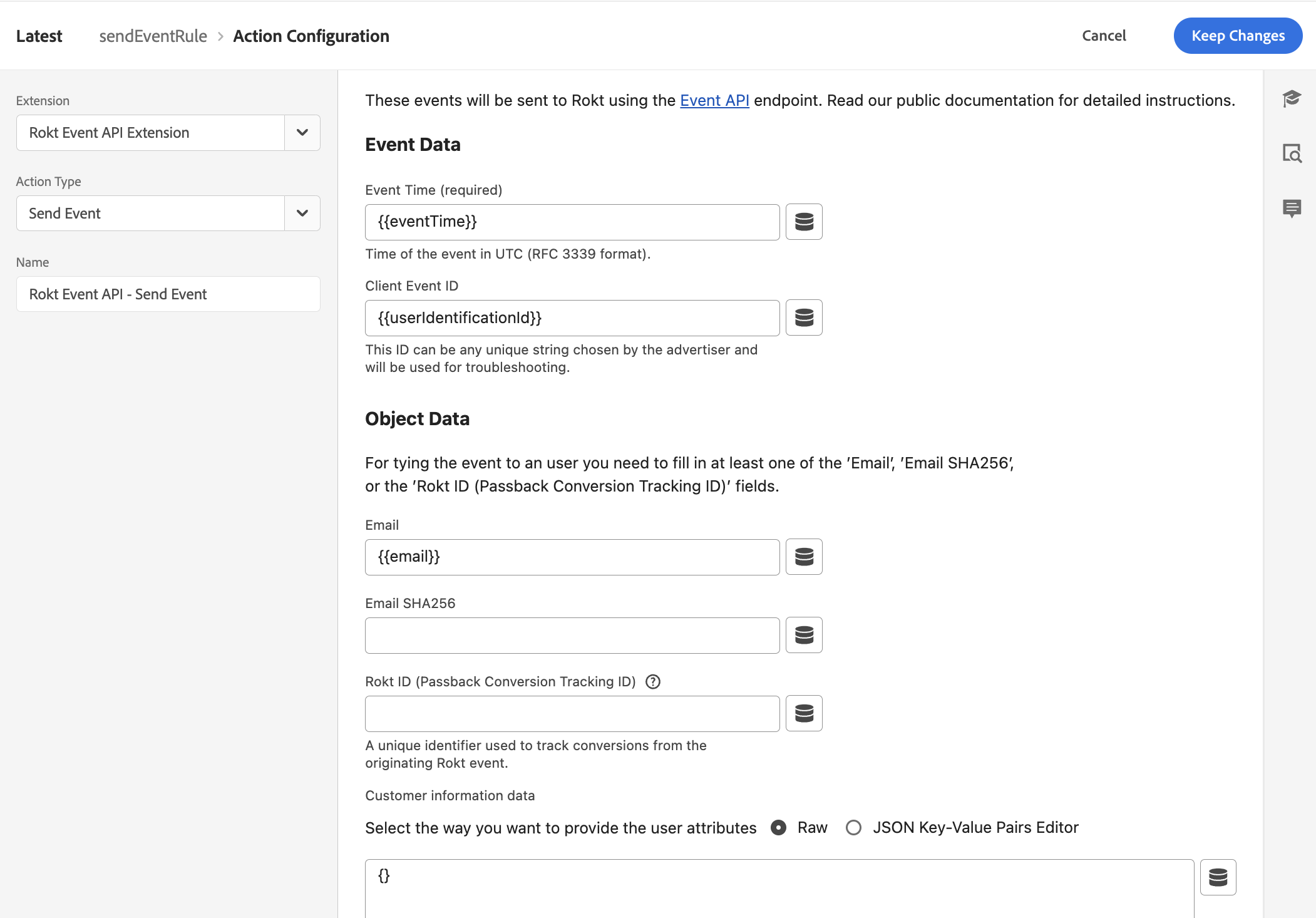
Use the data elements you defined to populate the fields for the Event API request:
- Event data contains information about the conversion, including the event time and a unique client event ID.
- Object data contains user identification properties. Include at least one of
email,emailsha256, orpassbackconversiontrackingid. - Customer information contains other attributes supported by the Event API extension. Use
{}for raw JSON if you are only sending one of the required identification properties.
 note
noteForward all events that represent meaningful conversions in your business funnel. The more conversion data Rokt receives, the better it can optimize your campaigns.
-
Add the Rokt field mappings. The following fields must ultimately be received by Rokt. See the Events API field reference for the complete list.
Parameter Description Requirement Event ID A unique identifier for the event. Required Event Time Time of the event in UTC. Required Email Raw email address, lowercase and without leading or trailing spaces. One of email, Email SHA-256, or Passback Conversion Tracking ID is required. Email SHA-256 SHA-256 hash of the email address. See above. Passback Conversion Tracking ID A Rokt-generated ID used to match a conversion to the originating click. See above. Mobile Mobile phone number of the converting customer. Recommended First Name Customer's first name. Recommended Last Name Customer's last name. Recommended Confirmation Ref Confirmation reference ID. Recommended Conversion Type Differentiates between conversion events. Recommended The complete list of accepted fields appears in the Customer information data section.
-
Click Save.
Your extension and rule action are now configured. You can configure events from client-side tag extensions and Experience Data Model schema datastreams to forward conversion data to Rokt when your conditions are met.