Running a test order
After you've completed onboarding, we suggest running a test order to make sure everything is working correctly. You can initiate a test order by navigating to Settings > Selling preferences, then selecting Run a test order at the bottom of the page.
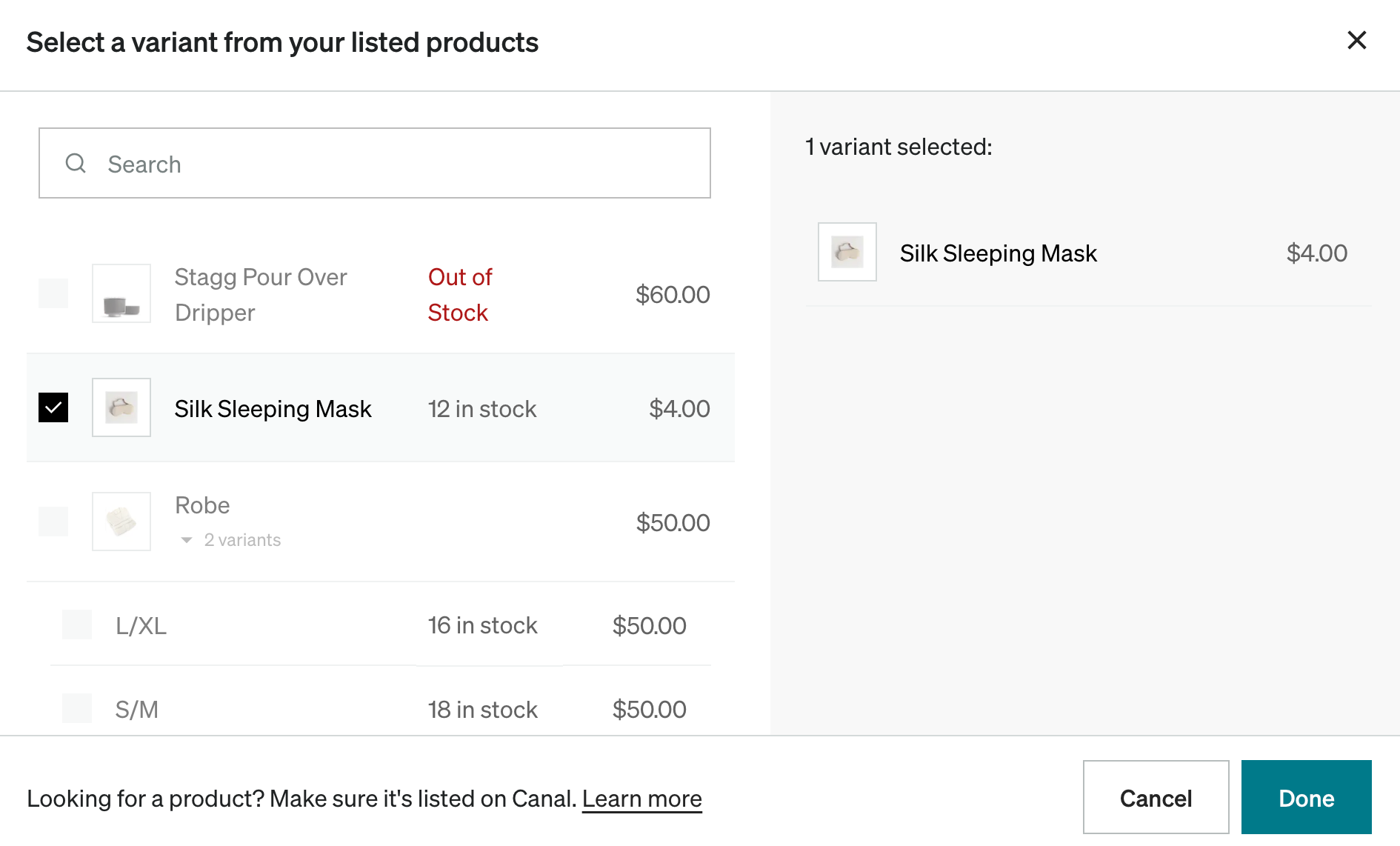
Select a variantDirect link to Select a variant
Select shippingDirect link to Select shipping
Select the dynamic rate or set a flat rate. You can learn more about Catalog's shipping options in the shipping terms article.
Place the orderDirect link to Place the order
Review the cost of the order, then select Place order to create an order on your Shopify backend for review.
Review and refund the orderDirect link to Review and refund the order
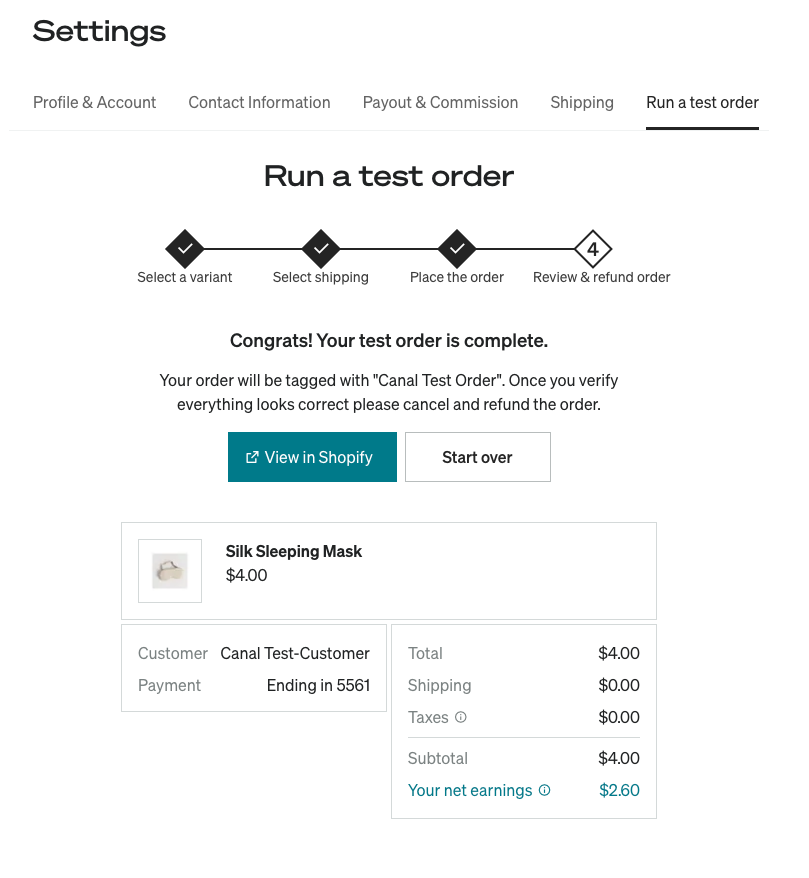
Your test order is complete. This page breaks down the order costs and shows what your earnings on this order would be. Select View in Shopify to go directly to your Shopify backend to cancel and refund the order.
Once your test order is complete, the Catalog and your ERP article can help explain items to look out for in your ERP or 3PL.
If you have any additional questions, reach out to our team at roktcatalogsupport@rokt.com.