What is Explore?
Explore is a directory of featured Partners curated by Catalog. From the Explore page in the left navigation, you can browse Partners, review their desired partnership terms, and express interest in working together.
How it worksHow it works への直接リンク
When you find a Partner you'd like to work with, the process follows four steps:
- I'm interested: Agree to the Partner's terms and submit a proposal with an initial set of products you think would be a good fit.
- Wait: Application review times vary by Partner. Most decisions are made within 2 to 4 weeks.
- Hear back: You'll be notified by email. If approved, the partnership moves from "Pending" in Rokt Catalog. If declined, you'll receive a message.
- Get started: Once approved, your products will be transformed to meet Partner requirements. Sell together to reach more customers and increase sales.
Updating your profile on ExploreUpdating your profile on Explore への直接リンク
Go to Settings > Brand info > select Go to profile.
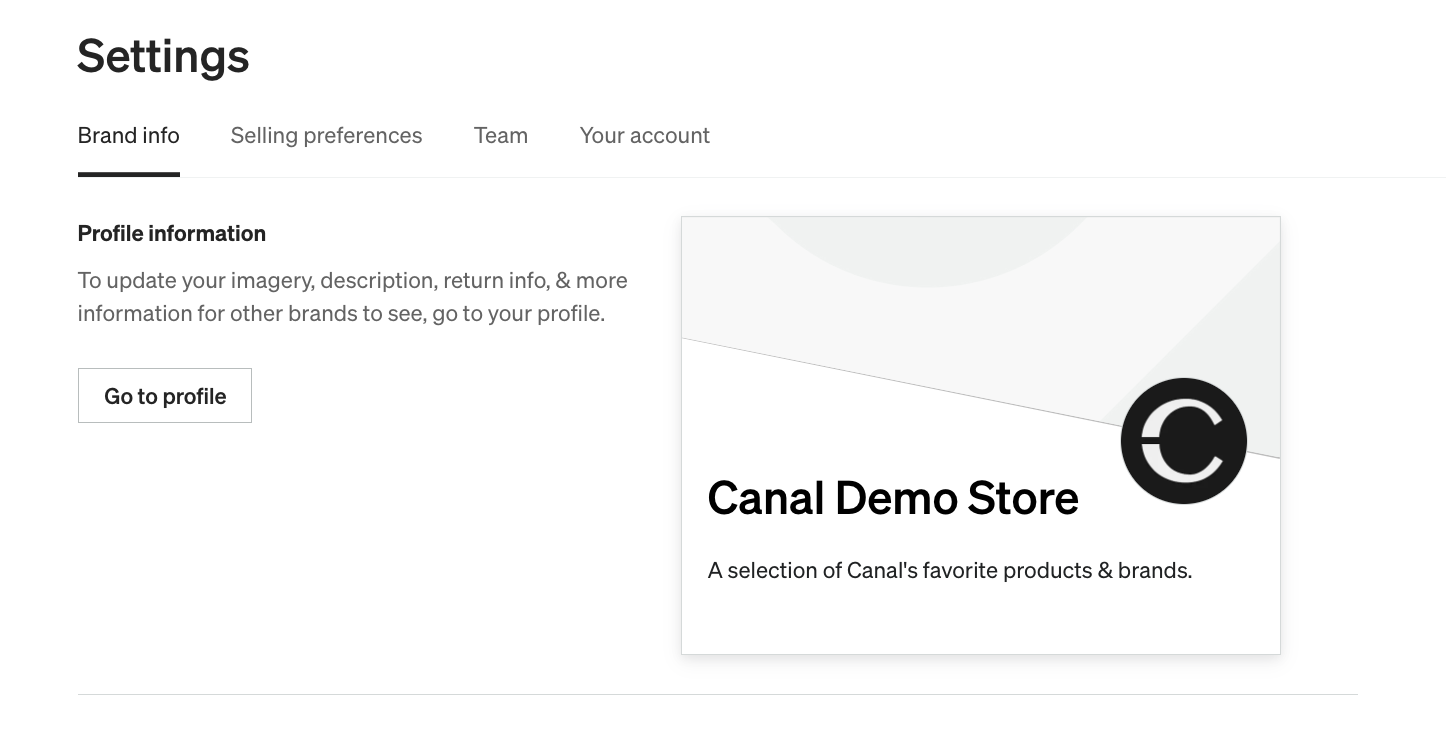
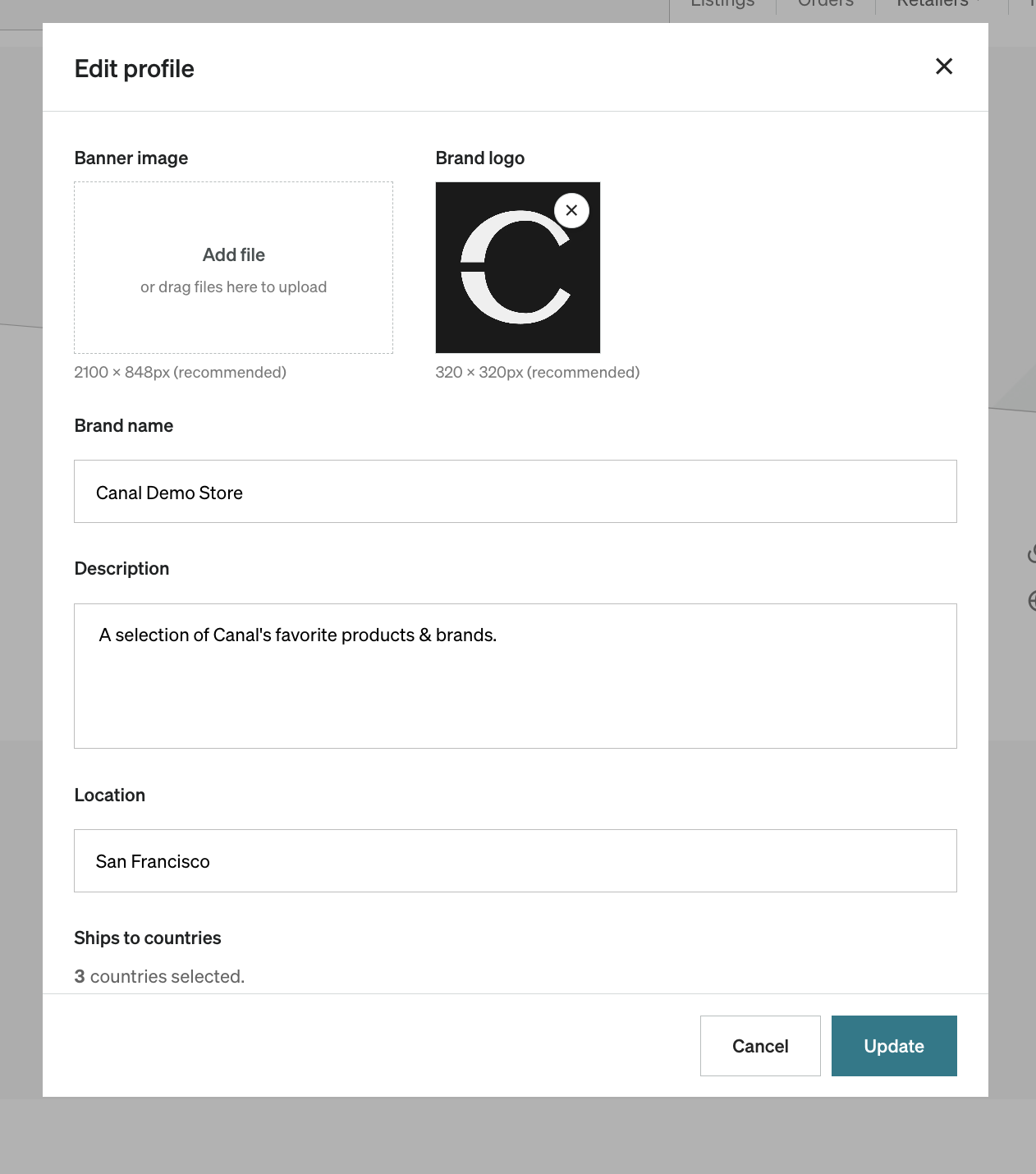
This directs you to your storefront with an edit profile pop-up. From here, you can update your brand's profile at any time. The items you can modify include:
- Brand logo
- Banner image
- Brand description
- Return policy link
Make sure to select Update to save changes.
Removing your brand from ExploreRemoving your brand from Explore への直接リンク
If you'd no longer like to be visible on Explore, navigate to Settings > Brand info > scroll down to Discover visibility > select Hidden > select Update.
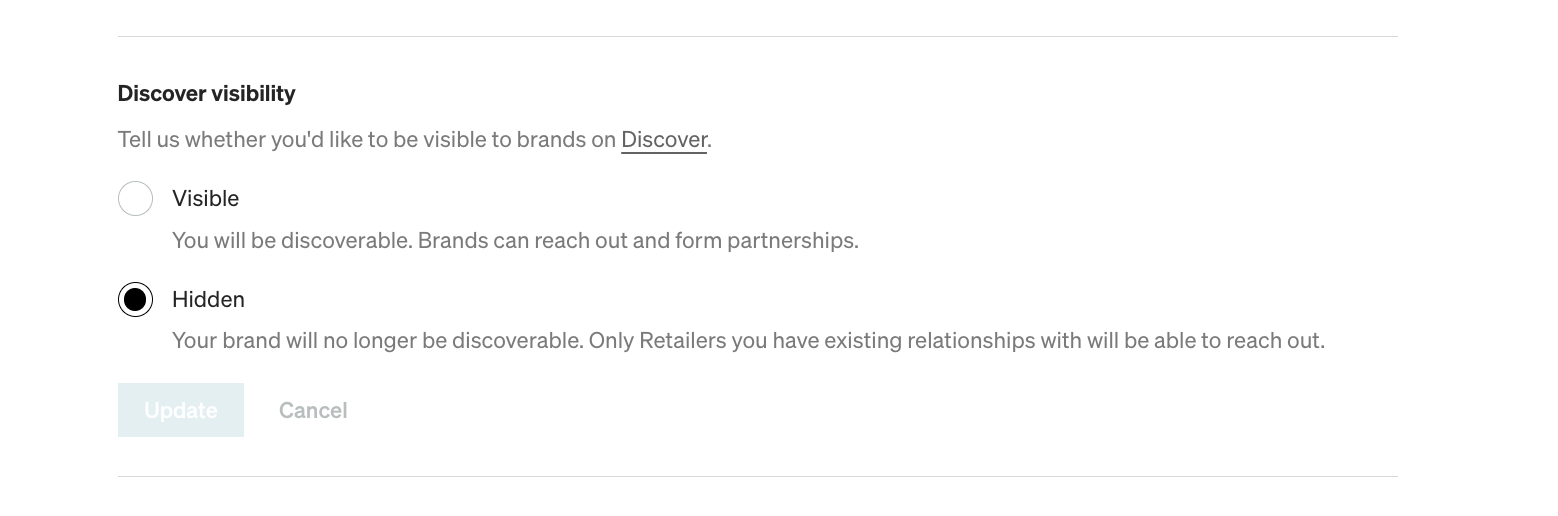
Once you select this option, your brand is no longer visible on Explore and only Partners you have existing relationships with can reach out. You can change this setting back at any time.