Onboarding via URL (Rokt Ads only)
You can share a file with Rokt Catalog that contains all your product data, and your data can be kept in sync with your product data file automatically.
When you integrate with Rokt Catalog via a URL, your products are only eligible for Rokt ads. To sell through Rokt Catalog marketplaces, you need to integrate with the Rokt Catalog API for order management.
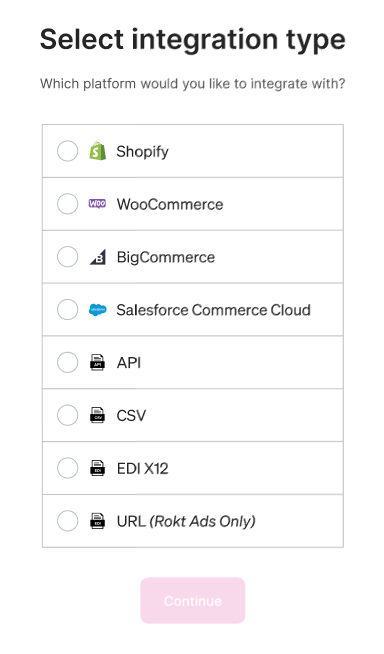
Select URL (Rokt Ads only) as your integration typeLien direct vers Select URL (Rokt Ads only) as your integration type
Enter a link to your fileLien direct vers Enter a link to your file
Rokt Catalog fetches the file from the URL provided. The link must start with http:// or https://. By default, the file is fetched every 24 hours at 12:00 AM.
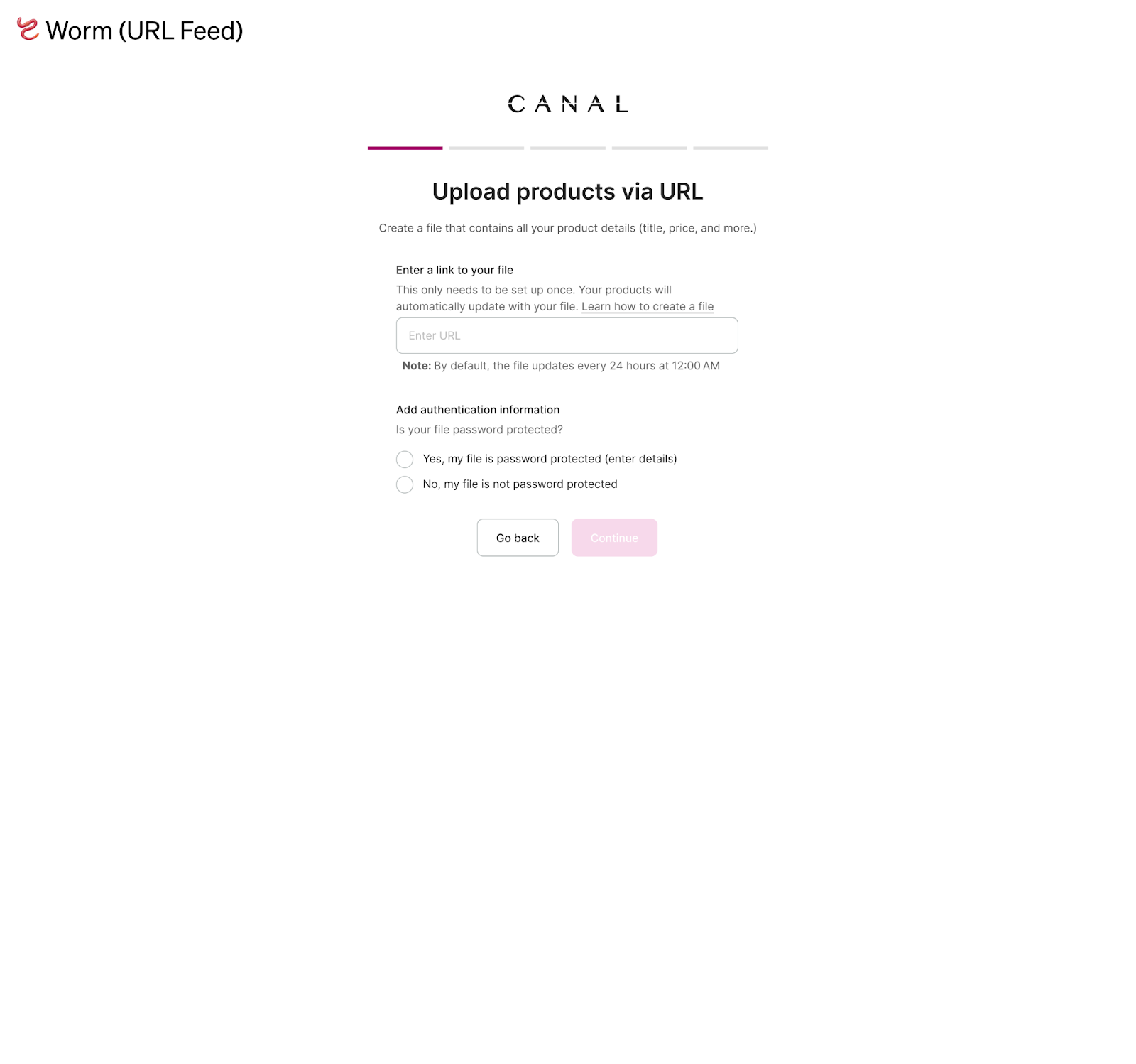
When creating your product data, make sure the content and format adhere to Rokt's Product data specification.
Next stepsLien direct vers Next steps
After onboarding, Rokt reviews your products for completeness and compliance with the product data specification and informs you via email of any issues.
You can check the publishing status of each product from the Inventory page in the Catalog app. If you don't want to show some products or variants, you can unlist them from Rokt Catalog.
Fix an issueLien direct vers Fix an issue
Issues with your products need to be fixed in the data file linked via URL. Once updated, Rokt Catalog syncs changes during the daily sync.
Adjusting your feed URLLien direct vers Adjusting your feed URL
To adjust your feed, go to Settings > Account. From there you can edit and replace your URL.