Adding additional team members
You can invite new users to your Catalog account within Settings. Users added here do not need access to the embedded Catalog app to access Catalog.
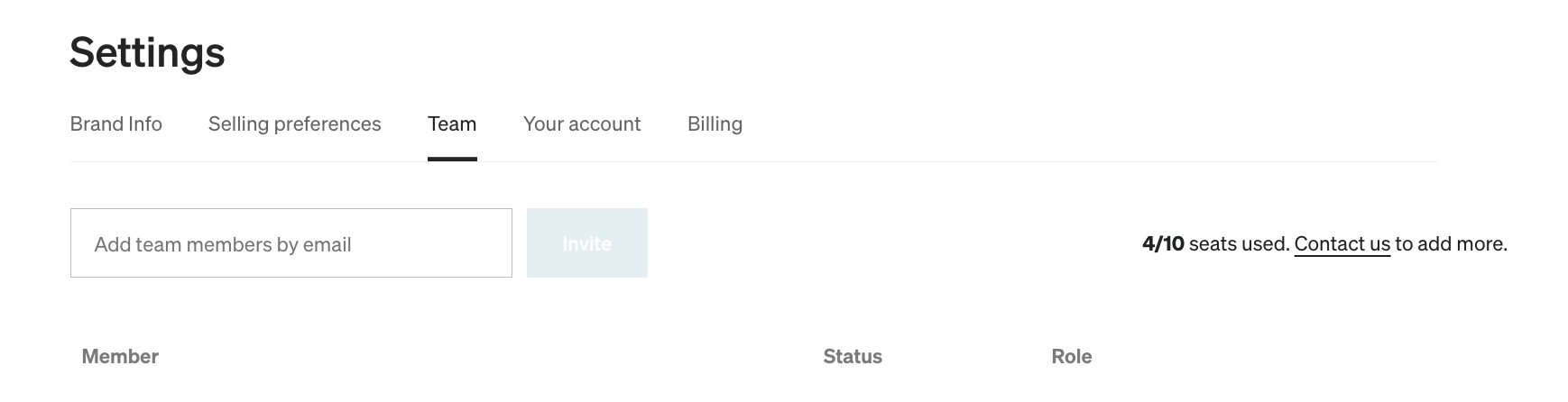
How to add a team memberLien direct vers How to add a team member
Navigate to Settings > Team > enter the email address you want to invite > select Invite. This user receives an email invite to create an account and can access your Catalog account at catalog.rokt.com/login.
Roles and permissionsLien direct vers Roles and permissions
Once a user has been invited to Catalog, their permission level can be adjusted on the Team page.
Admin permissionsLien direct vers Admin permissions
- Invite additional members
- Adjust user permissions from Member → Admin
- Adjust user permissions from Admin → Member
- Delete other users
Member permissionsLien direct vers Member permissions
- Invite additional members